Pay for North American Air Freight (NAAF) shipments using a credit card directly in the UPS® Forwarding Hub. This option allows you to book, pay, and ship in one online flow without setting up a UPS credit account.
Who is Eligible to Pay by Credit Card?
Credit card payments are available for:
- North American Air Freight (NAAF) shipments only
- Shipments quoted and booked online in the UPS® Forwarding Hub
- Payments made in USD or CAD
- Shipments with total charges up to $2,000 USD (or CAD equivalent)
How to Pay with a Credit Card
Step 1: Select the "Pay" option for your shipment on the booking confirmation screen.
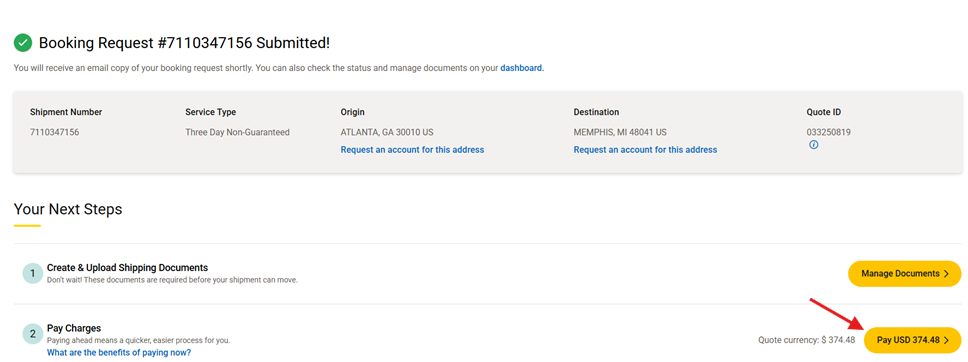
Step 2: A payment page will display, enter your credit card details. Click "Submit" to proceed
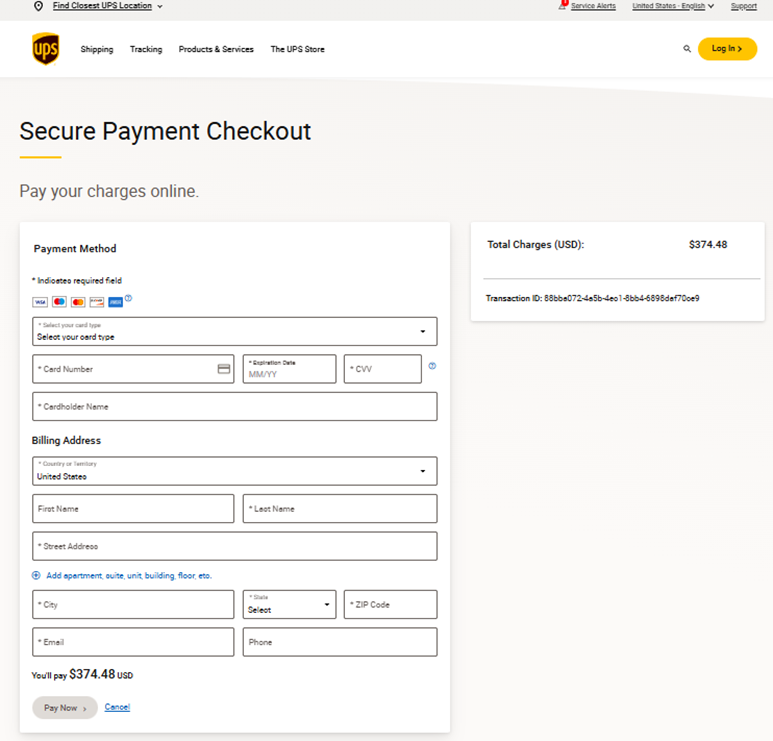
NOTE: Payments are processed immediately and cannot be cancelled.Step 3: Once payment is submitted, return to the UPS Forwarding Hub page to check the status of your payment processing. 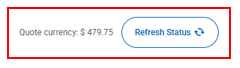
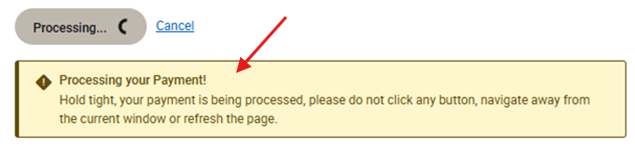
If payment was unsuccessful you will need to try your payment again.
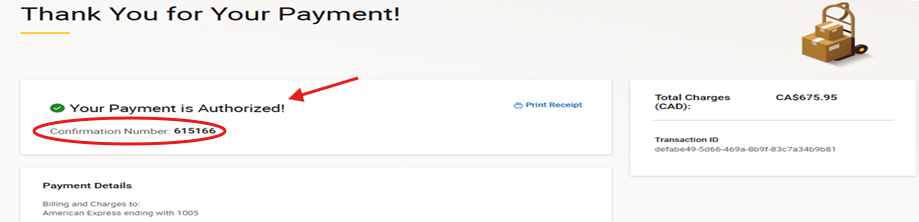
Step 4: Once payment is successfully processed, you will receive a confirmation via email.
Learn More:
Was this article helpful?
That’s Great!
Thank you for your feedback
Sorry! We couldn't be helpful
Thank you for your feedback
Feedback sent
We appreciate your effort and will try to fix the article