Overview
When to Use This
- You want step-by-step guidance while creating a quote.
- You prefer to enter quote information on one page.
Before You Begin
Make sure you have:
- Access to your UPS Forwarding Hub profile.
- A preferred quote entry experience.
Make sure you understand:
- Guided Form walks you through the quote process step by step.
- Single Page Form places the required quote information on one page.
- You can use the toggle located in the upper right side of the quote page to manually turn this feature on/off.
Steps to Change Your Quote Form Display
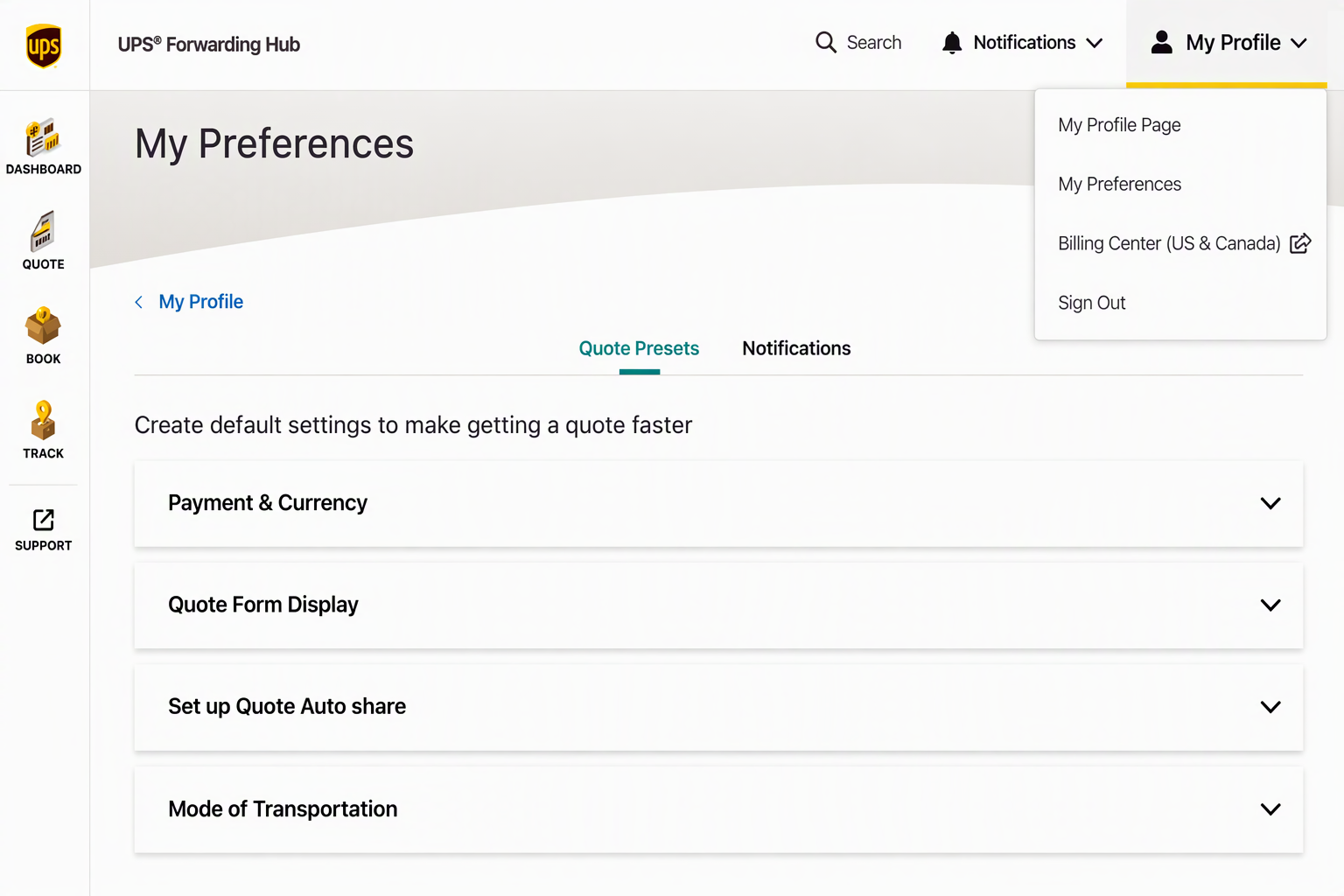
- Select My Profile in your UFH profile.
- Select My Preferences.
- Select Quote Presets.
- Select Quote Form Display.
- Select Change Default Settings.
- Choose Guided Form or Single Form.
- Save your changes.
What Happens Next
- New quote sessions will use your selected form display preference.
Frequently Asked Questions
Which quote form should I use?
Use Guided Form for step-by-step assistance. Use Single Page Form if you prefer to enter the information on one page.
Why did the quote page layout change?
Go to My Profile > My Preferences > Quote Presets > Quote Form Display to change your settings long-term or use the toggle located within the quote page to change your view manually.
Where do I switch back to the Guided Form?
Go to My Profile > My Preferences > Quote Presets > Quote Form Display to change your settings long-term or use the toggle located within the quote page to change your view manually.
Was this article helpful?
That’s Great!
Thank you for your feedback
Sorry! We couldn't be helpful
Thank you for your feedback
Feedback sent
We appreciate your effort and will try to fix the article