Overview
When to Use This
- The wrong currency appears when you begin a quote.
- You normally create quotes in a different currency.
- You frequently use the same payment terms.
- The payment terms that appear on new quotes do not match your normal quoting preference.
Before You Begin
Make sure you have:
- Access to your UFH profile
- The currency you normally use for quotes.
- The payment terms you normally use, such as prepaid freight or collect freight.
Make sure you understand:
- These settings apply to new quotes created after you save the preference.
- You can still manually select a different payment term and currency while creating a quote.
- It is still recommended to review the payment term and currency on each quote before booking
Steps to Change Your Quote Currency
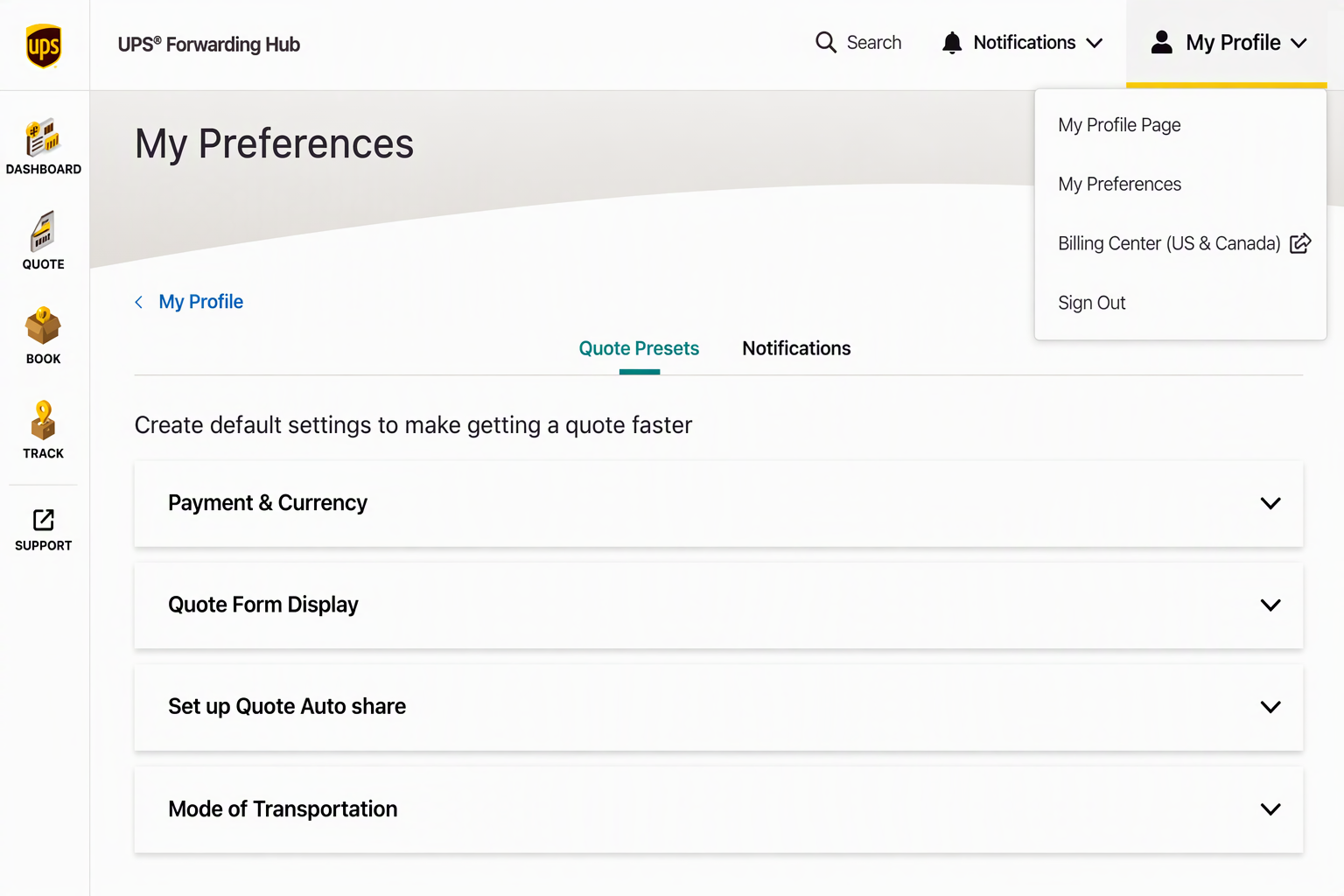
- Select My Profile in your UFH profile.
- Select My Preferences.
- Select Quote Presets.
- Select Payment & Currency.
- Select Change Default Settings.
- Select your preferred payment term and currency.
- Save your changes.
What Happens Next
- Your selected payment term and currency will automatically populate during the quoting process.
- Reminder: Always check the payment and currency when creating quotes before booking a shipment.
Frequently Asked Questions
Why is the wrong currency showing when I create a quote?
aved Quote Preset may use a different currency. Review My Profile > My Preferences > Quote Presets > Payment & Currency.
Where do I change the currency used for quotes?
Open Payment & Currency under Quote Presets and select your preferred currency.
Will changing this setting update an existing quote?
No. Changes will apply to any quotes after you change and save the new default currency.
Where do I change prepaid or collect freight settings?
Go to My Profile > My Preferences > Quote Presets > Payment & Currency.
Was this article helpful?
That’s Great!
Thank you for your feedback
Sorry! We couldn't be helpful
Thank you for your feedback
Feedback sent
We appreciate your effort and will try to fix the article