Overview
Save contacts who should automatically receive created quotes, reducing the need to add the same recipients repeatedly while creating quotes in UPS® Forwarding Hub (UFH).
When to Use This
- You regularly share quotes with the same customers, partners, or team members.
Before You Begin
Make sure you have:
- Access to your UPS Forwarding Hub profile.
- The contact information for the people who should receive shared quotes.
Make sure you understand:
- The saved contacts are used for Quote Auto Share.
- Review recipients before sharing sensitive or customer-specific information.
Steps to Auto-Share Quotes with Contacts
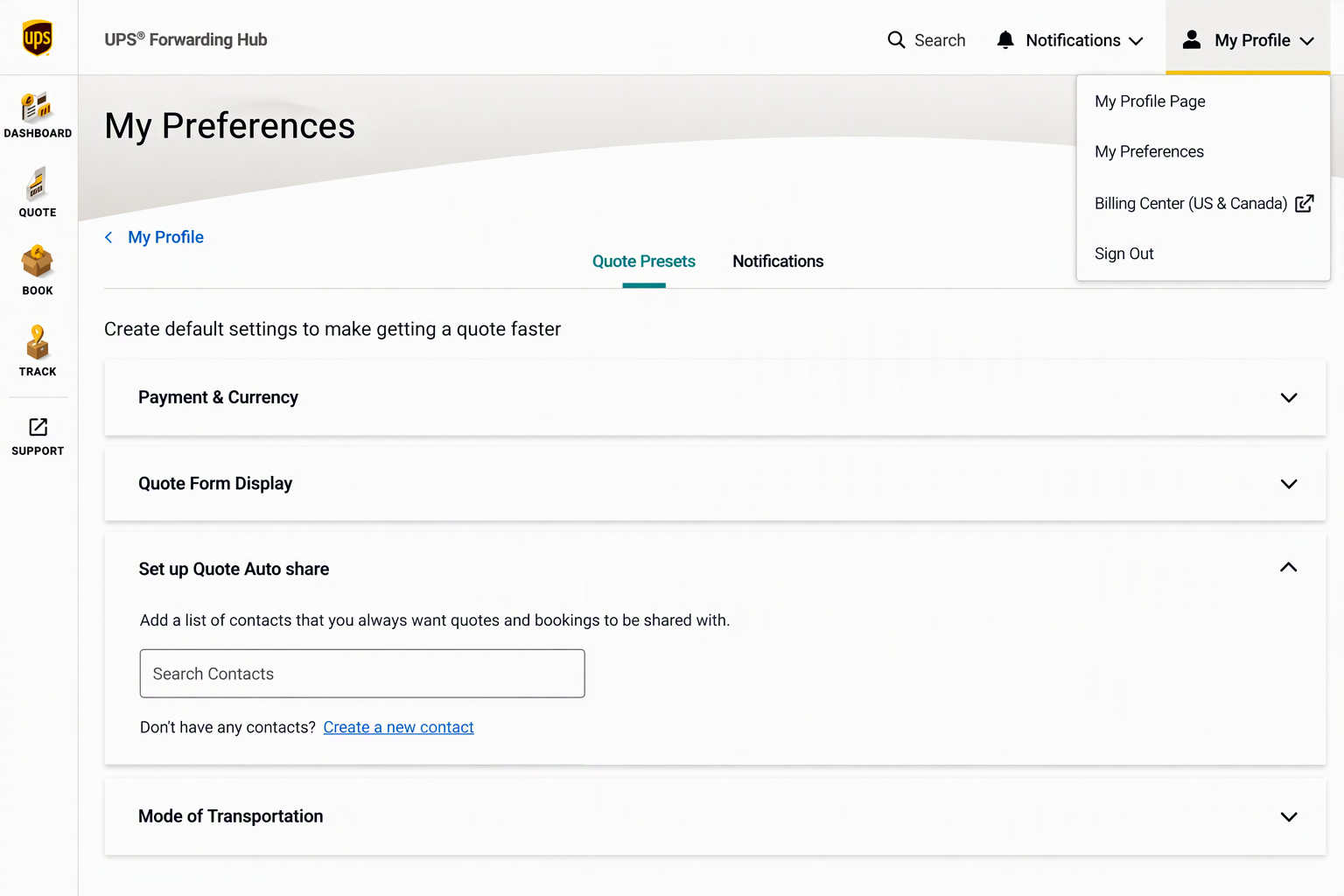
- Select My Profile in your UFH profile.
- Select My Preferences.
- Select Quote Presets.
- Select Setup Quote Auto Share.
- Select Change Default Settings.
- Add or update the contacts.
- Save your changes.
What Happens Next
- Your saved contacts will be used by Quote Auto Share for applicable quotes.
Frequently Asked Questions
Why is a contact automatically included when I share a quote?
The contact may be saved under Set up Quote Auto Share in Quote Presets.
Where do I add or remove automatic quote recipients?
Go to My Profile > My Preferences > Quote Presets > Set up Quote Auto Share.
Will every quote be shared automatically?
Yes. The contacts you select will automatically receive the quotes you share
Was this article helpful?
That’s Great!
Thank you for your feedback
Sorry! We couldn't be helpful
Thank you for your feedback
Feedback sent
We appreciate your effort and will try to fix the article