TABLE OF CONTENTS
You don't need to take screenshots or copy-paste numbers into endless email chains anymore. Instead, you can save your quotes and share them directly through the UPS Forwarding Hub (UFH). This guide walks you through the simple steps to bring your team onboard, ensuring everyone sees the same rates, dates, and details.
Key Things to Remember:
- Sharing a quote will allow collaborators to add the quote to their Activity Feed and book it
- Each quote can only be booked once.
- Once shared, the details of the quote cannot be edited by any party, including you.
- Share a quote with a maximum of 10 collaborators.
Let's check out the different ways you can share quotes with collaborators in UFH.
Save & Share a Quote from a Rate Card
The first step is to enter your quote details to create a quote. Once you land on the screen displaying your rate options, follow these steps:
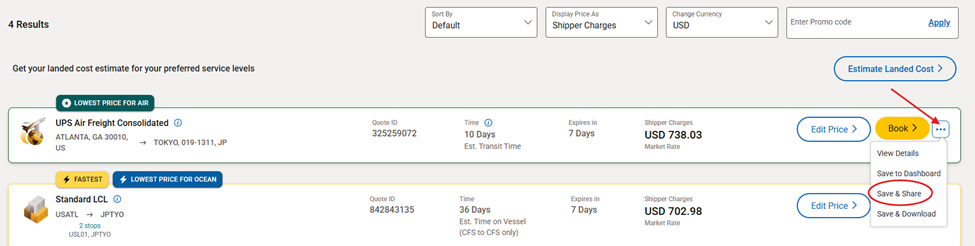
Click the '3 Dots' next to one of the rate card options
Select 'Save & Share'
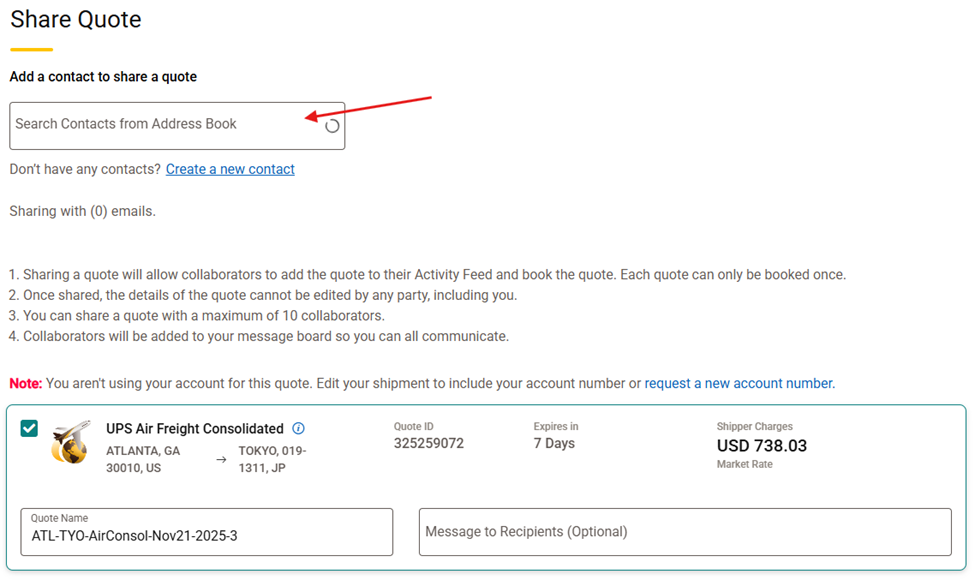
Using your address book, 'Add an Existing Contact' or 'Create a New Contact'
You can add up to 10 contacts
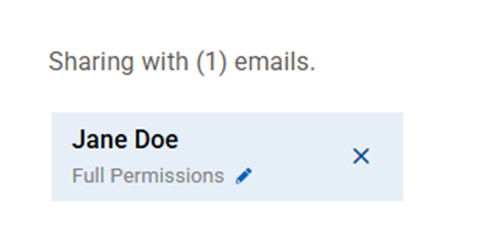
Once a contact has been added, they will be displayed.
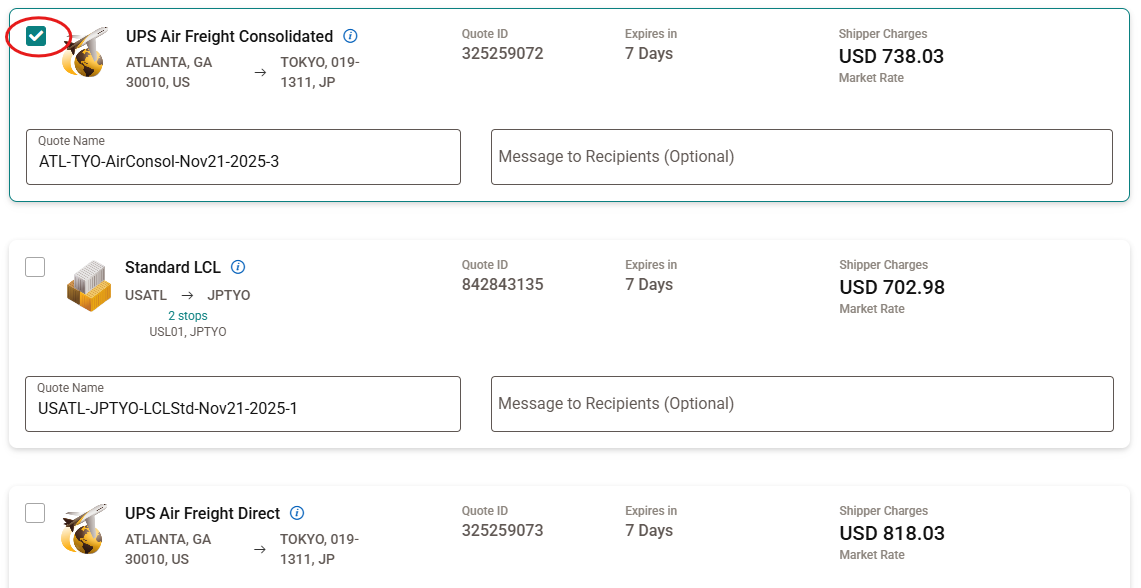
Select the 'Check Box' next to each quote you want to save, and share with your contact(s)
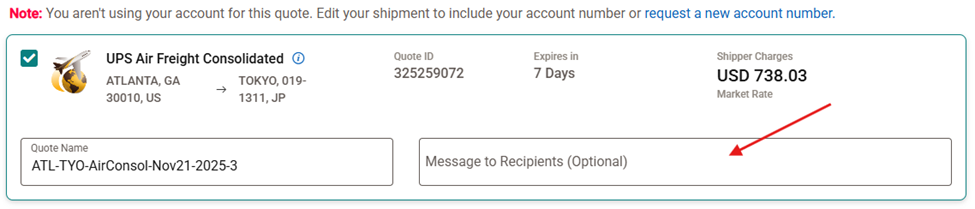
'Add Notes' you want to share with your contact(s)
Click 'Send Invite'
Once you share a quote with your collaborator(s), they will need to log into their UFH profile and accept your quote-sharing invitation to add it to their quote dashboard.
Share a Previously Saved Quote
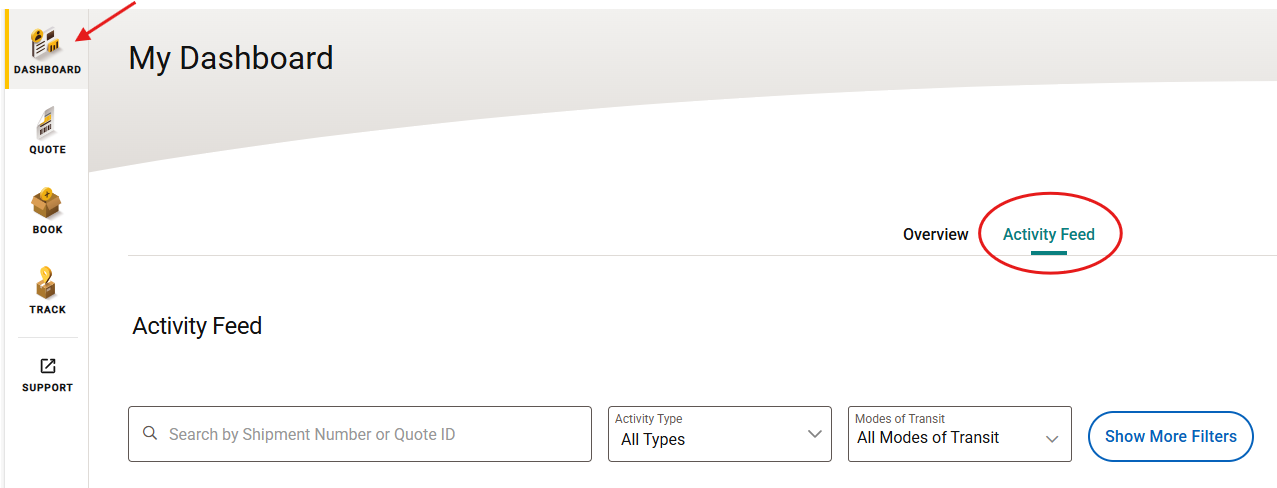 Select 'Activity Feed'
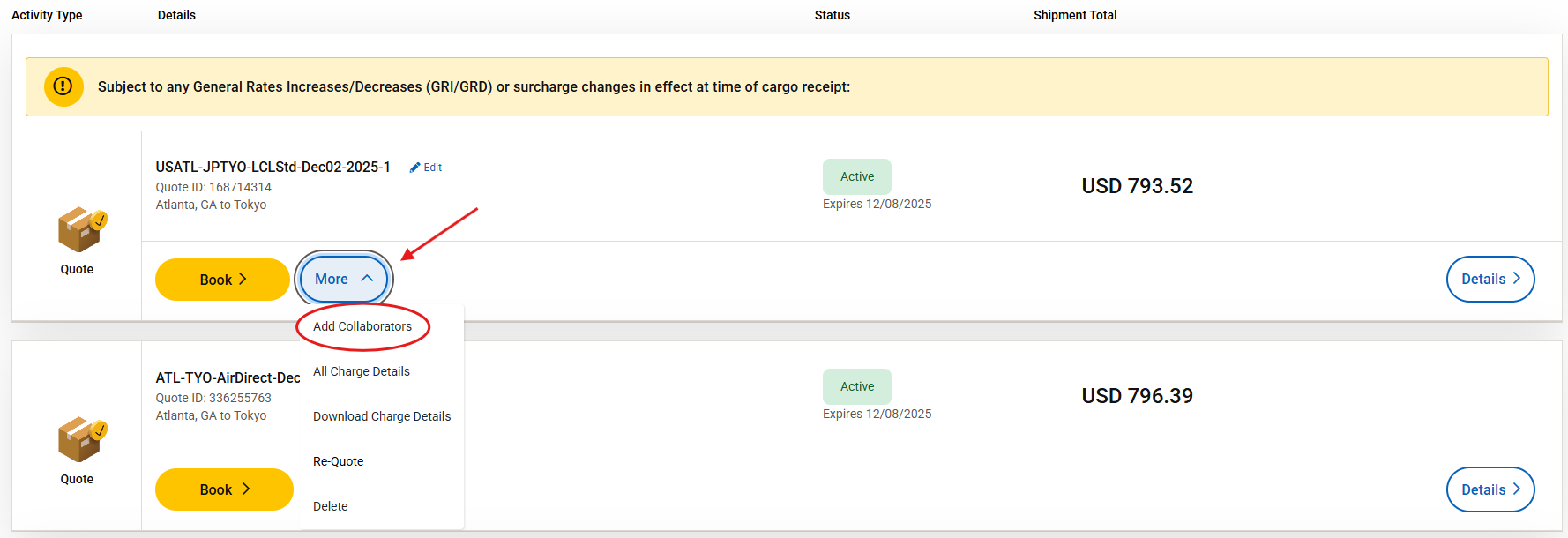
'Locate the Quote' you want to share
Click 'More'
Select 'Add Collaborators'
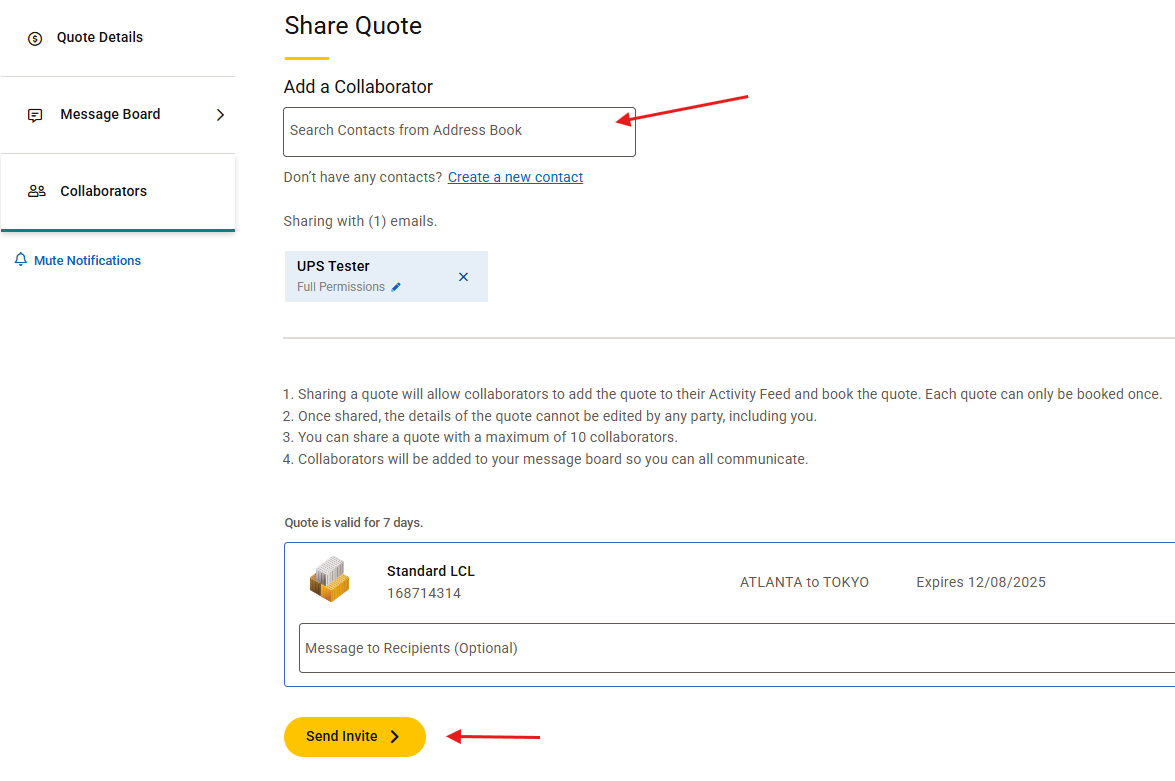 'Select a Contact' from your address book. To add a new contact, click 'Create a New Contact'
Click 'Send Invite'
Learn More
Was this article helpful?
That’s Great!
Thank you for your feedback
Sorry! We couldn't be helpful
Thank you for your feedback
Feedback sent
We appreciate your effort and will try to fix the article