TABLE OF CONTENTS
How to Quickly Access & Use an Existing Template
To quickly access and use an existing template, visit your 'UFH Dashboard'
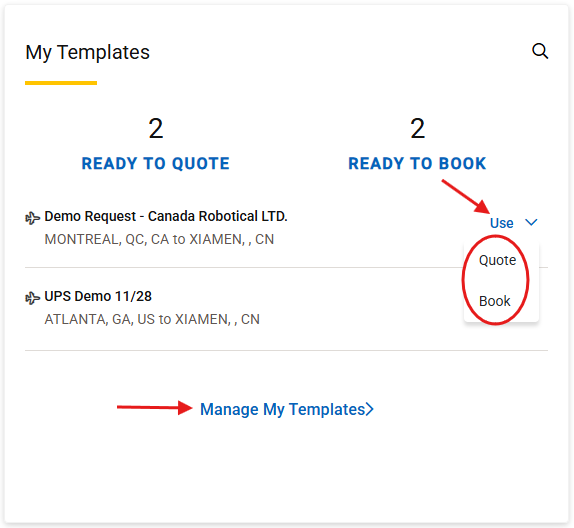
Locate the 'My Templates' tile
Click 'Use' to access a recently used template, and select 'Quote or Book'
NOTE: The Book option will only display if you have created a booking template for the quote.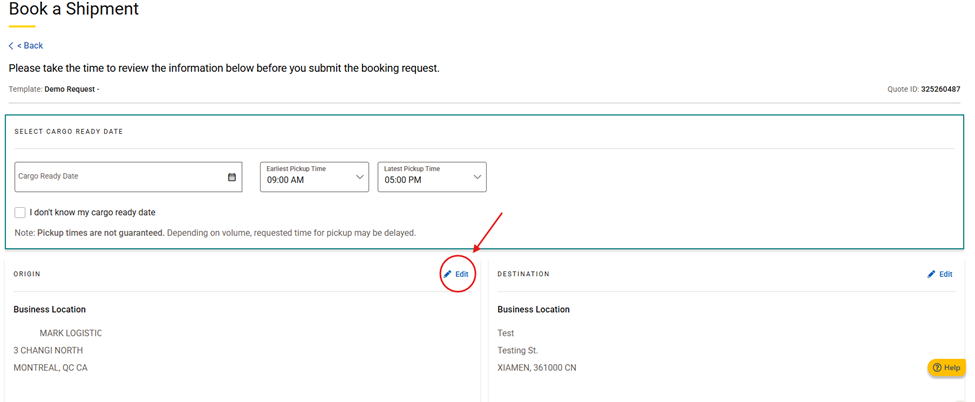
Before you submit your quote or booking request, you will have the option to edit the existing details
If no edits are needed, follow the prompts to submit your request.
If edits are needed, make changes and update the template
How to Manage All Existing Templates
To access all your saved templates, go to your 'UFH Dashboard', locate the 'My Templates' tile
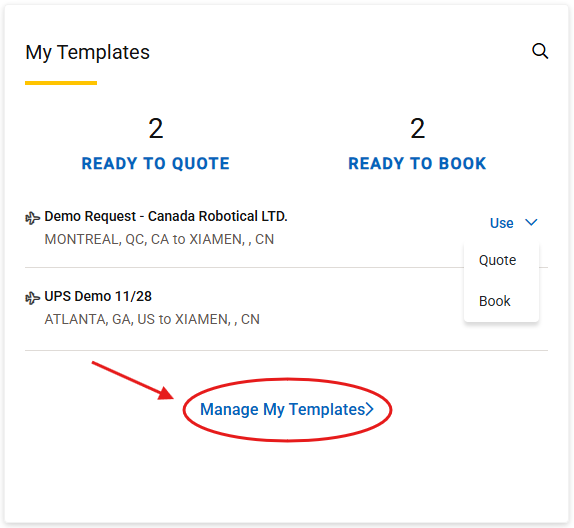
Click 'Manage My Template'
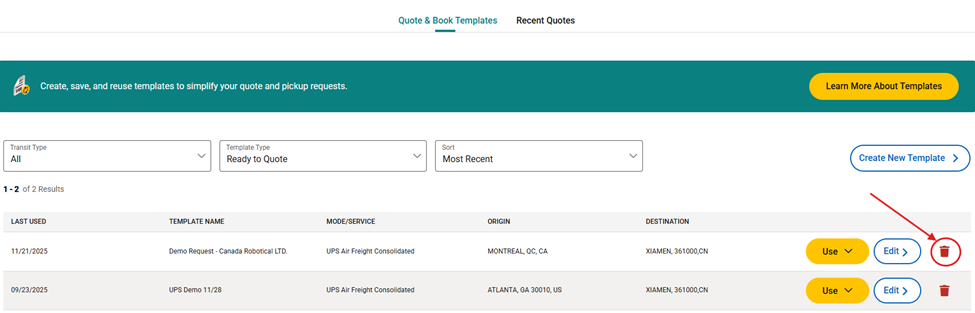
Choose Your Action: You will see options to 'Use', 'Edit' or 'Delete' next to each template name.
- Select use, to create a quote, or go straight to submitting a booking request.
- Select edit, to update the quote or booking details in template
- Select delete, to remove the template from your library.
Streamline your shipping with quote and book templates. Set up templates for recurring shipments to save time and increase accuracy today.
Learn More
Was this article helpful?
That’s Great!
Thank you for your feedback
Sorry! We couldn't be helpful
Thank you for your feedback
Feedback sent
We appreciate your effort and will try to fix the article