Overview
The UFH AI Logistics Advisor helps automate tasks while keeping you connected to the UPS Forwarding Hub (UFH) experience. Use email to request a freight quote, then select the rate you want and continue the booking process in UFH or reply to the quote email with the information needed to book your shipment.
When to Use This
- You want to receive a quote quickly by email.
- You prefer using your email to request a quote.
- You want to review available shipping options.
Before You Begin
Make sure you have:
- Account information (if available)
- Origin and destination
- Shipment and cargo details
- Any supporting documents
- Preferred currency
- HS code
- Commodity type and description
Make sure you understand:
- A UPS Freight Forwarding account number is not required to submit a quote or booking request.
- Quotes are provided in USD unless another currency is provided.
- For hazardous materials, indicate that the shipment contains hazardous materials and include applicable SDS/MSDS documentation.
- For cargo with different dimensions, list each pallet, crate, carton, or cargo piece separately.
- Most quote requests receive a response within one hour.
- Responses are AI generated. Review quote, booking, shipment, and rate information for accuracy before proceeding.
Request a Quote by Email
Step 1: Click Get a Quote › to access the email form.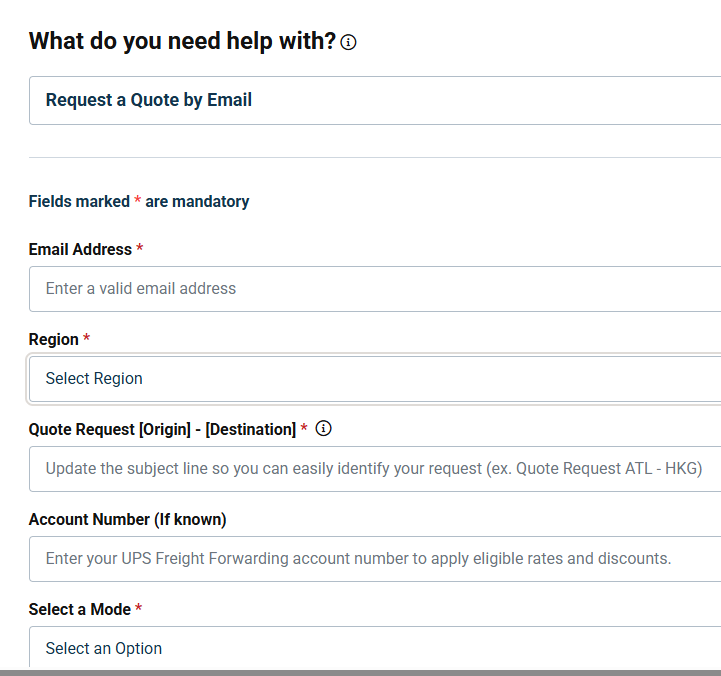
Step 2: Provide Quote Information
- Complete the fields within the body of the email before sending your request.
- Attach any supporting documentation
Step 3: Review Information
- Review the information for accuracy to help reduce follow-up requests from the UFH AI Logistics Advisor.
Step 4: Submit the form
- After submitting the form, check your email for your quote. Average processing time is within one hour.
ⓘ You can also submit your request directly from a new email by copying, pasting, and filling in the information below. Click GFFIQAMBX@ups.com to open a prepopulated email.
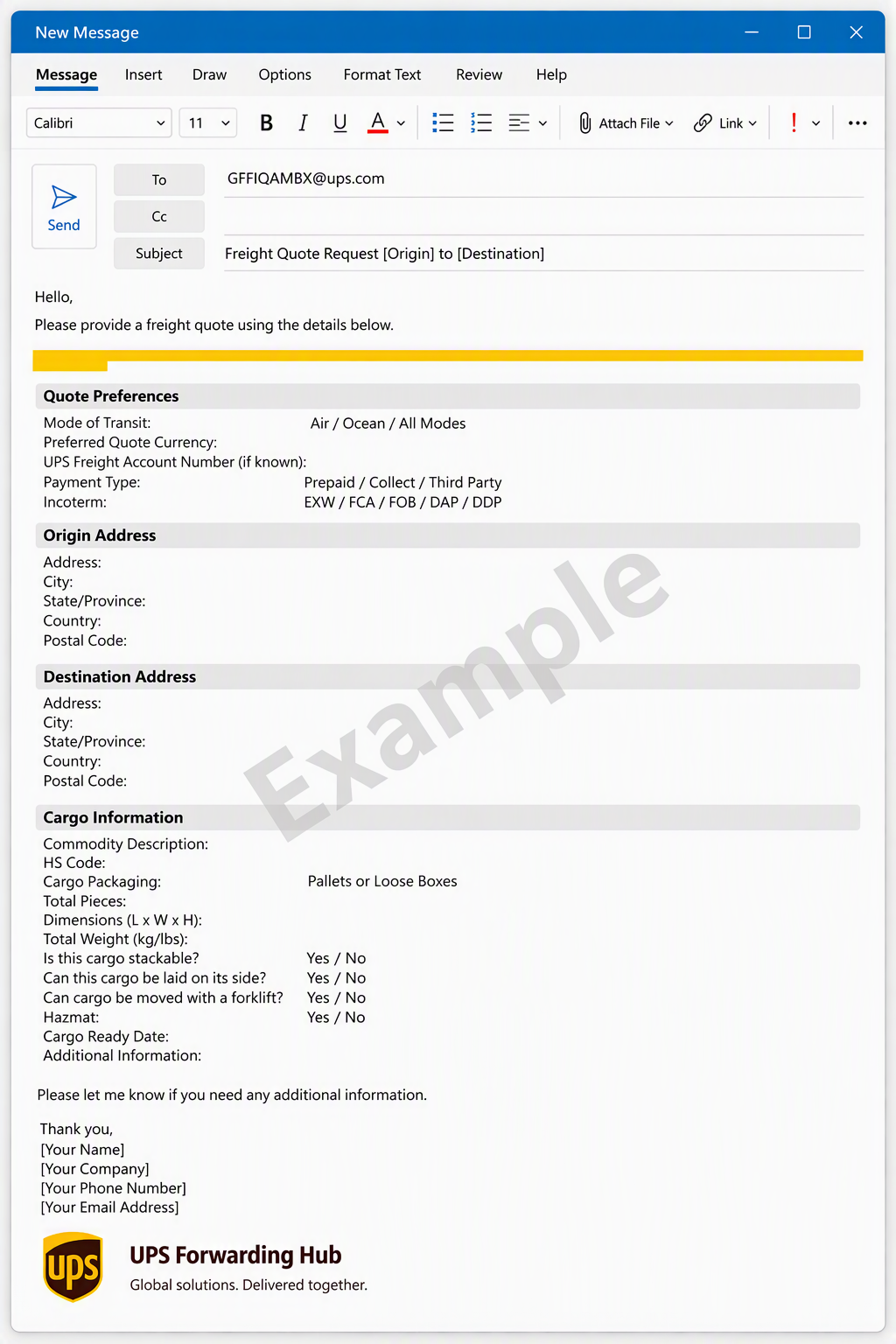
| (Copy and Paste) To: GFFIQAMBX@ups.com Subject Line: Freight Quote Request [Origin] to [Destination] Please provide a freight quote using the details below. Mode of Transit: Air / Ocean / All Modes Preferred Quote Currency: UPS Freight Account Number (if known): Origin Address: City: State/Province: Country: Postal Code: Destination Address: City: State/Province: Country: Postal Code: Payment Type: Prepaid / Collect / Third Party Incoterm: EXW / FCA / FOB / DAP / DDP Commodity Description: HS Code: Cargo Packaging: Pallets or Loose Boxes Total Pieces: Dimensions: Total Weight (kg/lbs): Is this Cargo Stackable? Yes / No Can this Cargo be laid on its side? Yes / No Can cargo be moved with a forklift? Yes / No Hazmat: Yes / No Cargo Ready Date: Additional Information: |
Book a Shipment by Email
When you receive pricing from the AI Logistics Advisor, you can continue your journey in UPS Forwarding Hub or reply to the email with the information needed to book.
Option 1: Book in UPS Forwarding Hub
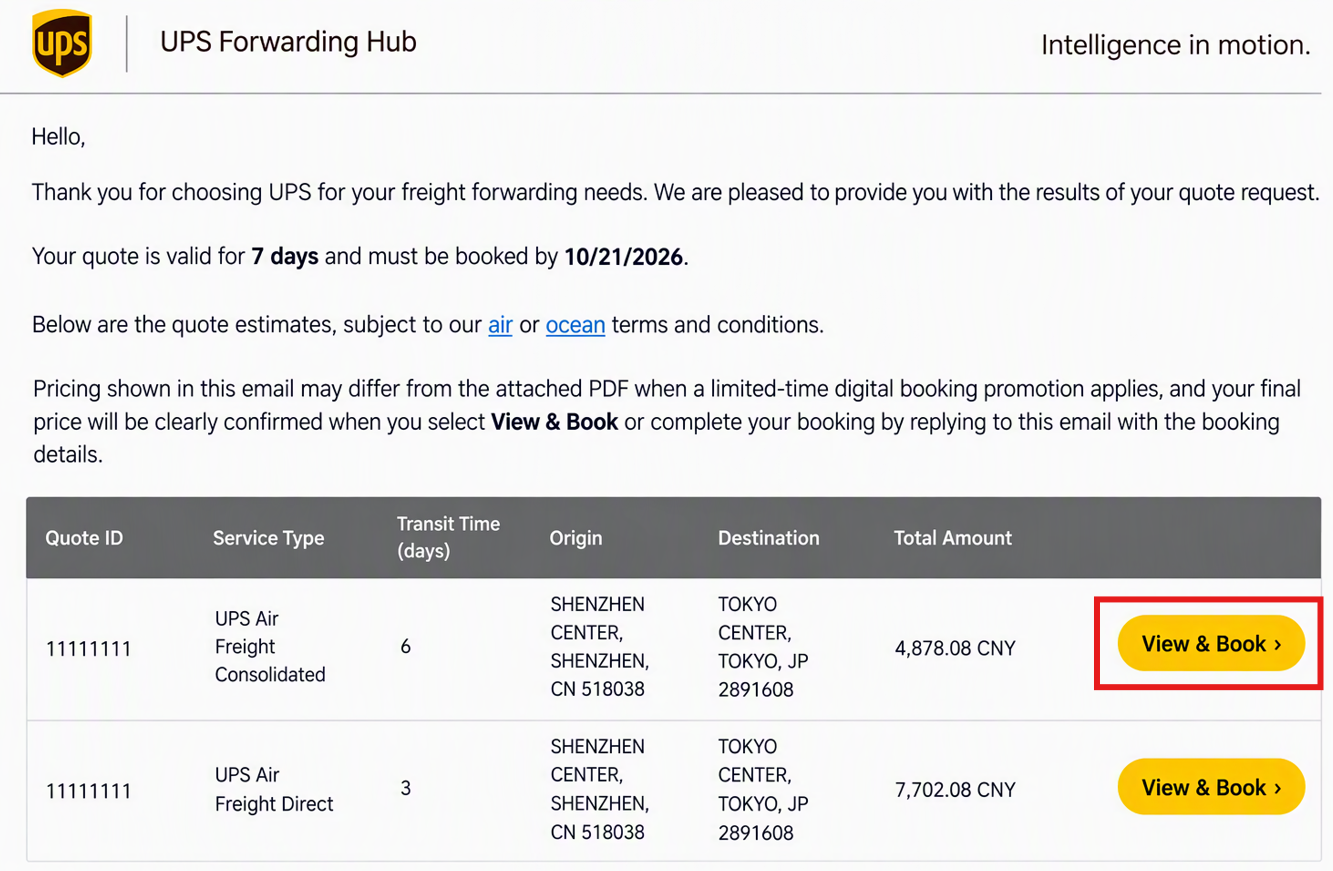
- Open the quote email containing the rate you want to book.
- Review the available quote options.
- Select View & Book next to the Quote ID and rate you want to book.
- Sign in to UPS Forwarding Hub and follow the prompts to complete your booking.
Option 2: Book by Replying to Your Quote Email
- Open the quote email containing the rate you want to book.
- Select Reply.
- In the body of the email Include:
- Quote ID you want to book.
- Shipper Company Name
- Shipper Contact Name
- Shipper Country Code
- Shipper Phone Number
- Delivery Company Name
- Consignee Name
- Consignee Country Code
- Consignee Phone Number
- Any additional shipment information/attachments
- Review the information for accuracy and send your reply to GFFIQAMBX@ups.com.
Tip: Reply to the original quote email so your booking request remains connected to the quote you selected. |
What Happens Next
- Our UFH AI Logistics Advisor receives, reviews, and processes your request automatically.
- For quote submissions you will receive a response with available pricing options or a request for additional information if needed.
- For booking request you will be guided to complete the booking process via UFH.
- Complete any required shippings documents in UFH for your shipment.
Frequently Asked Questions
Do I need a UPS Freight Forwarding account number?
No. However, providing your account number allows us to apply any eligible special rate agreements or discounts when preparing your quote.
What currency will my quote be provided in?
Quotes are provided in USD unless another currency is requested during submission.
Can I upload supporting documents?
Yes. Customers can upload supporting documents such as packing lists, SDS/MSDS documents, commercial invoices, and product specifications.
What if my shipment contains hazardous materials?
Please indicate that your shipment contains hazardous materials and upload any applicable SDS/MSDS documentation.
What if my shipment contains cargo with different dimensions?
List each pallet, crate, carton, or cargo piece separately so dimensions can be evaluated accurately.
Was this article helpful?
That’s Great!
Thank you for your feedback
Sorry! We couldn't be helpful
Thank you for your feedback
Feedback sent
We appreciate your effort and will try to fix the article