When requesting a quote through the UPS Forwarding Hub (UFH), please be aware that certain commodities are subject to regulatory, hazard, or safety precautions. Before UPS can agree to transport these items, they must be reviewed and approved by our regulatory, risk management, and legal experts.
How to Request Approval of a Restricted Commodity
If you are prompted that a commodity is restricted and requires approval while requesting a rate quote, please follow the steps below.
Log in to 'Initiate a Quote' in UFH to provide the following:
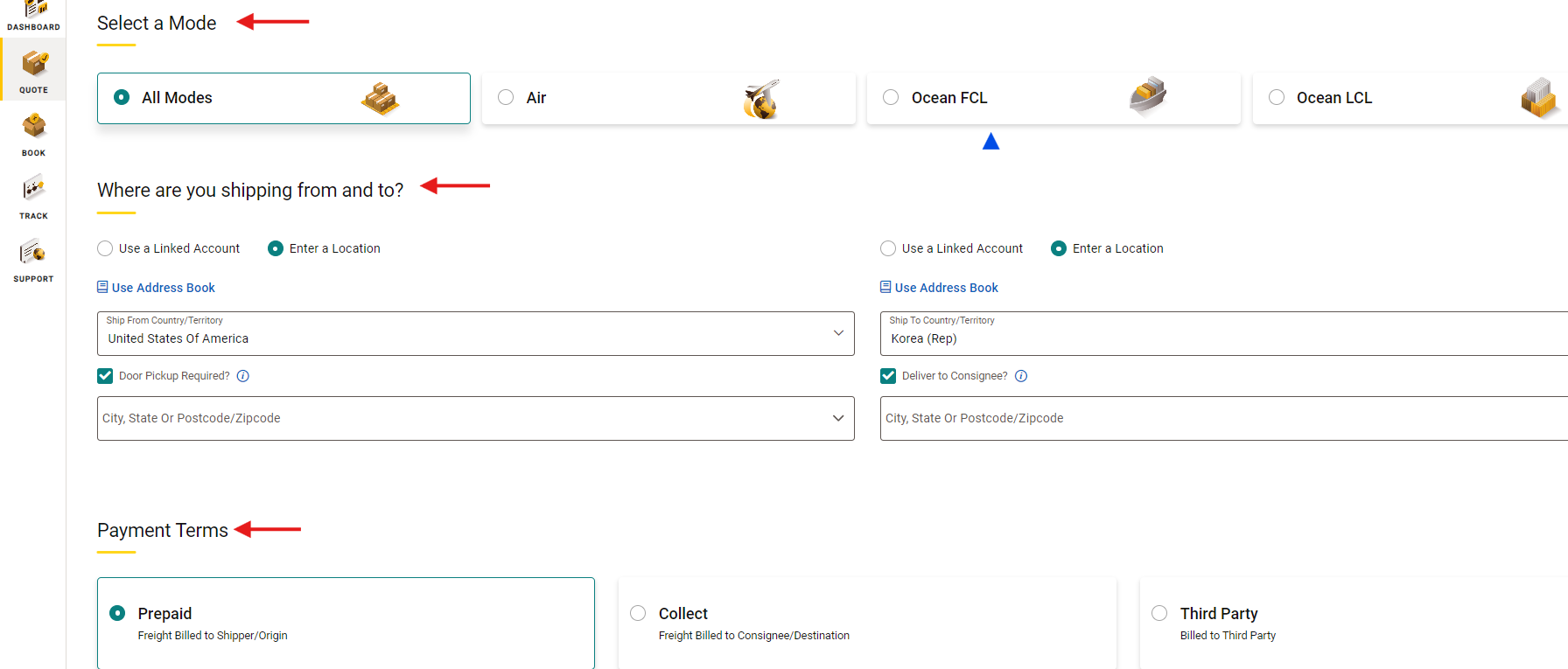
Select a 'Mode'
Input the following information:
- Origin and Destination
- Payment Terms
- Commodity Details
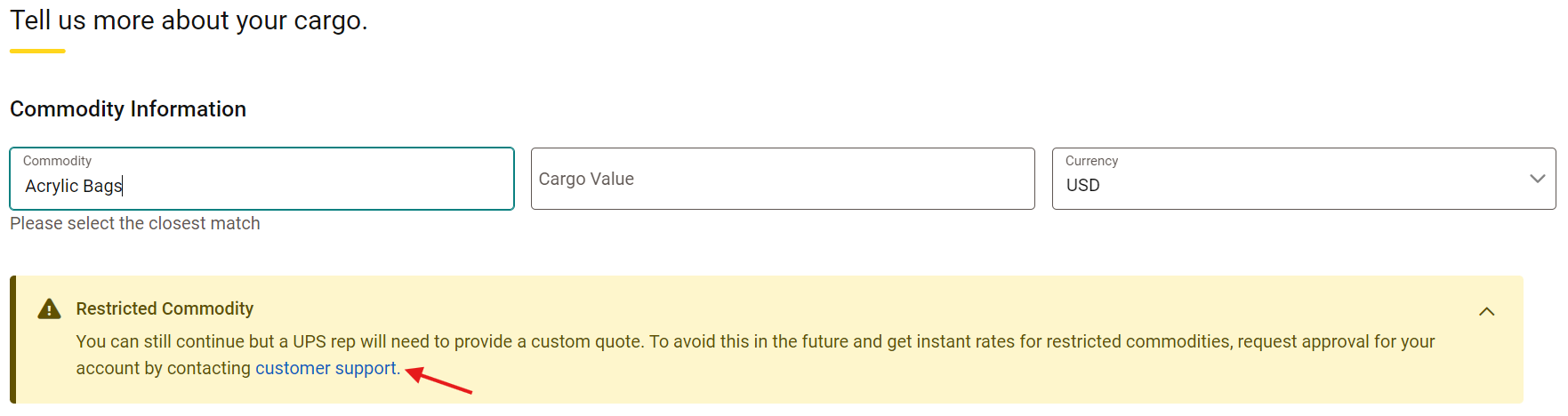
Under 'Commodity Information', search for your commodity. If your commodity is restricted, you will receive the following message. Click 'Customer Support'
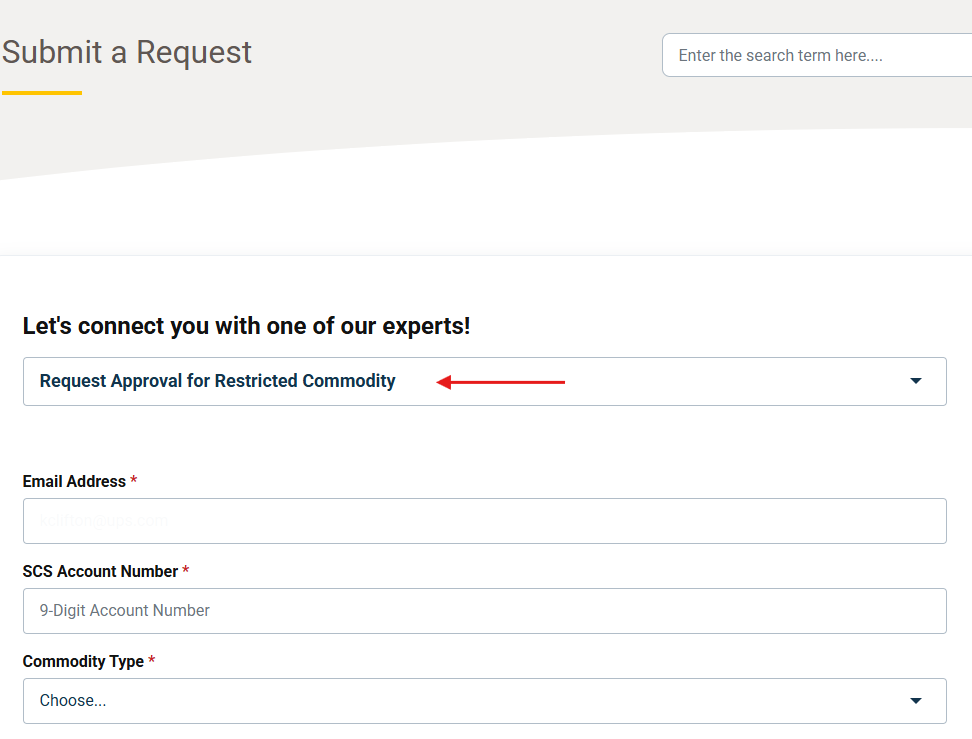 Select the 'Restricted Commodity Approval Form'
Complete the 'Form Fields'
To avoid delays, provide the following attachments, as applicable:
- Material Safety Data Sheet (MSDS)
- Safety Data Sheet (SDS)
- Picture of goods to be approved
- Any additional supporting documentation
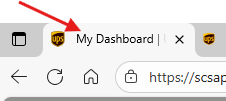
Once you have submitted the form, 'Locate the UFH Tab Browser' to return to the quote screen
Finish processing your request for rates.
Once you submit your customized request, our UPS Supply Chain experts will follow-up with you within 48 hours.
Learn More
- Customized Quotes for Oversized and Special Considerations
- Shipping Temperature-Controlled Cargo Using UFH
Was this article helpful?
That’s Great!
Thank you for your feedback
Sorry! We couldn't be helpful
Thank you for your feedback
Feedback sent
We appreciate your effort and will try to fix the article