This article provides a clear, step-by-step process for quickly re-booking a shipment, allowing you to make necessary adjustments and move forward with confidence.
To rebook a previous shipment, first visit your 'UFH Dashboard', then follow the steps below:
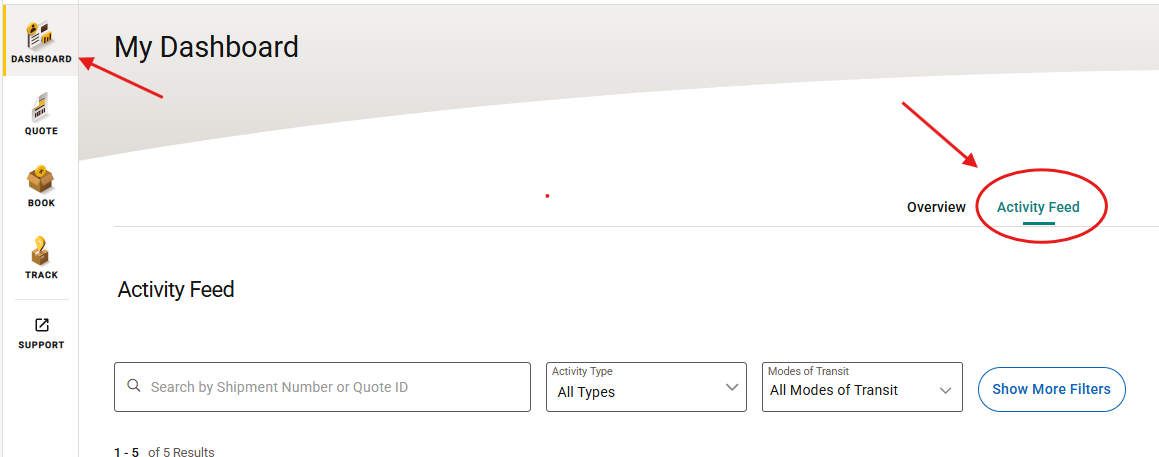 Select 'Activity Feed'
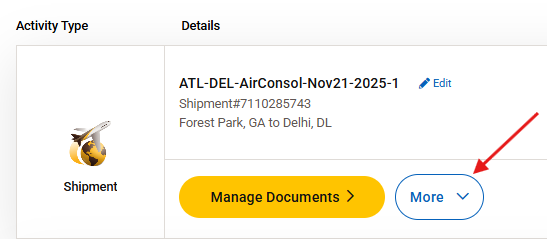 Click the 'More' button
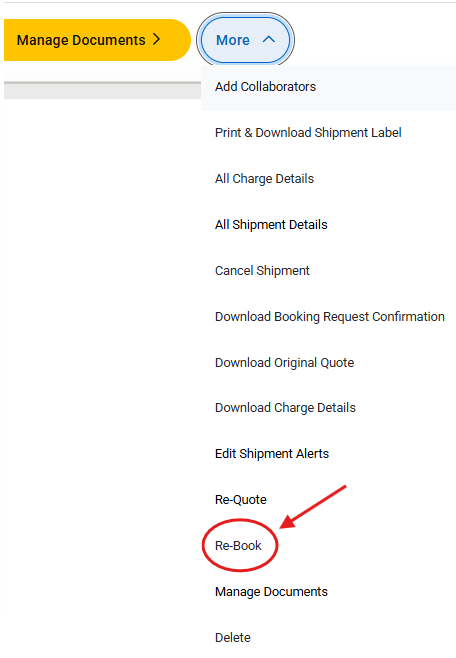
Select 'Rebook' from the drop-down
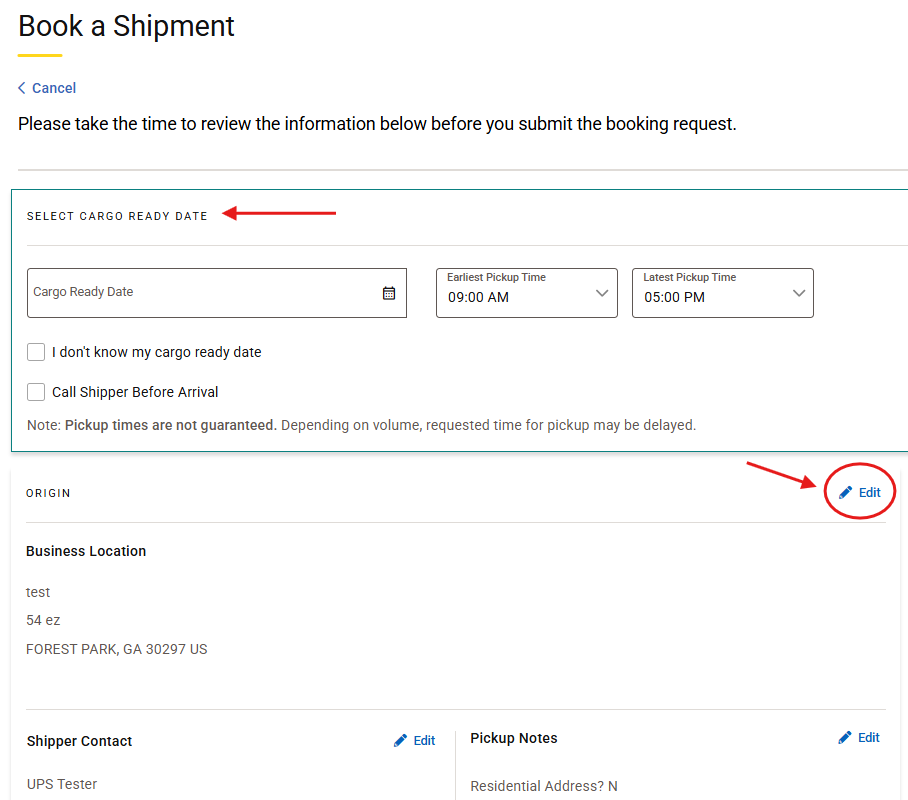
'Select a date' your cargo will be ready for pickup
Review the shipment details
Click the 'Edit' button to update any shipping information
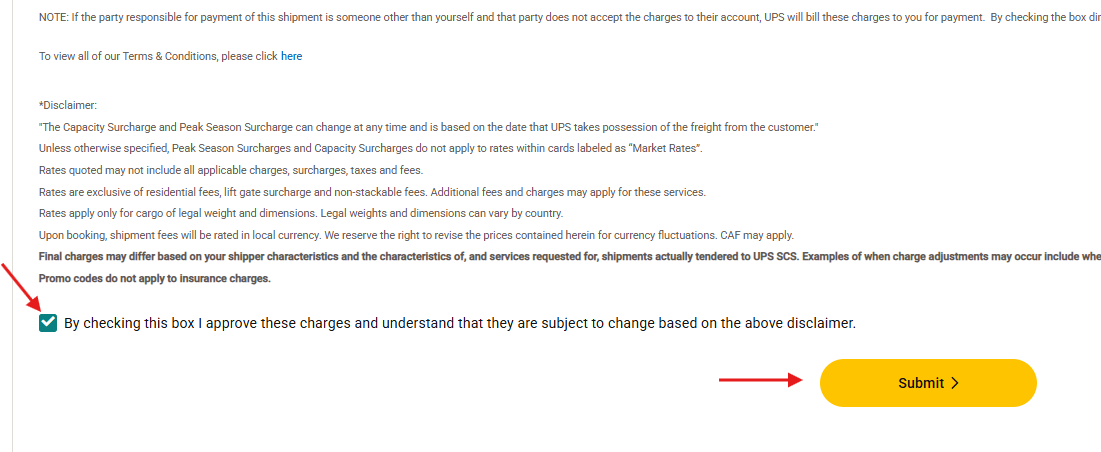
Read the disclaimer and approve estimated charges.
Click 'Submit'
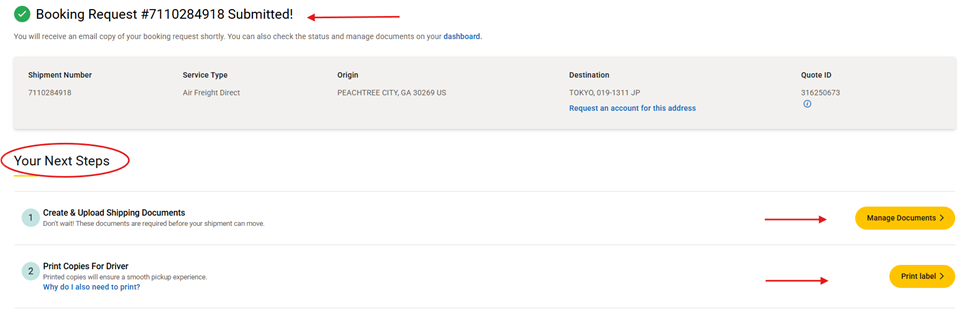
Once you submit your booking request, it's time to get your cargo ready.
Here's what you should do next to prepare your shipment for pickup:
1) Complete and upload shipping documents
2) Print 'Cargo Labels' and place them on your cargo
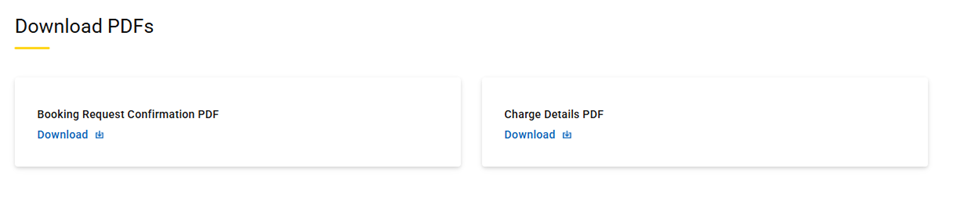
3. Download a copy of your confirmation and charge details for your records
Was this article helpful?
That’s Great!
Thank you for your feedback
Sorry! We couldn't be helpful
Thank you for your feedback
Feedback sent
We appreciate your effort and will try to fix the article