Quickly generate and print your label(s), to ensure a smooth shipping process.
Let's go through the simple steps of printing your freight shipping label effortlessly using the UPS® Forwarding Hub.
To print a shipment label, visit your 'UFH Dashboard' and follow the steps below.
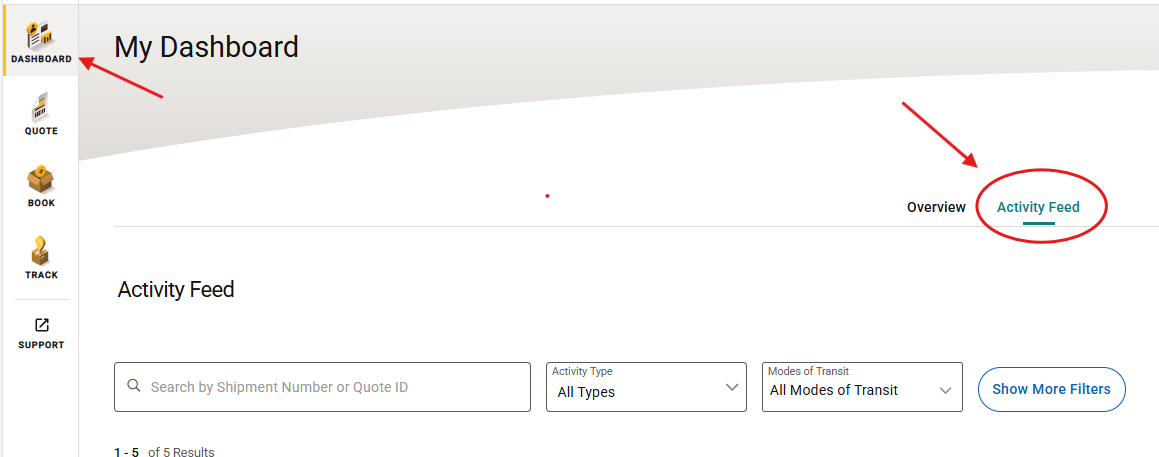
Select 'Activity Feed'
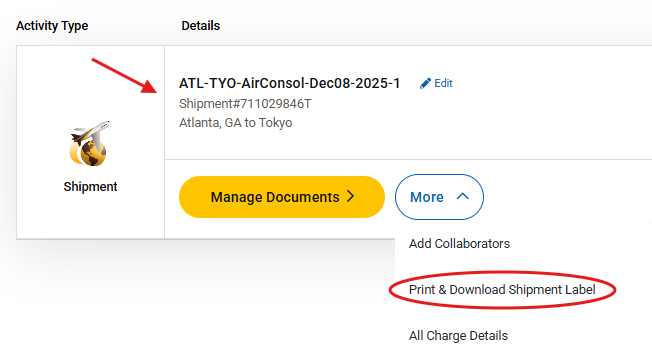
'Locate the shipment', you need to print labels for
Click 'More'
Select Print & Download Shipment Label'
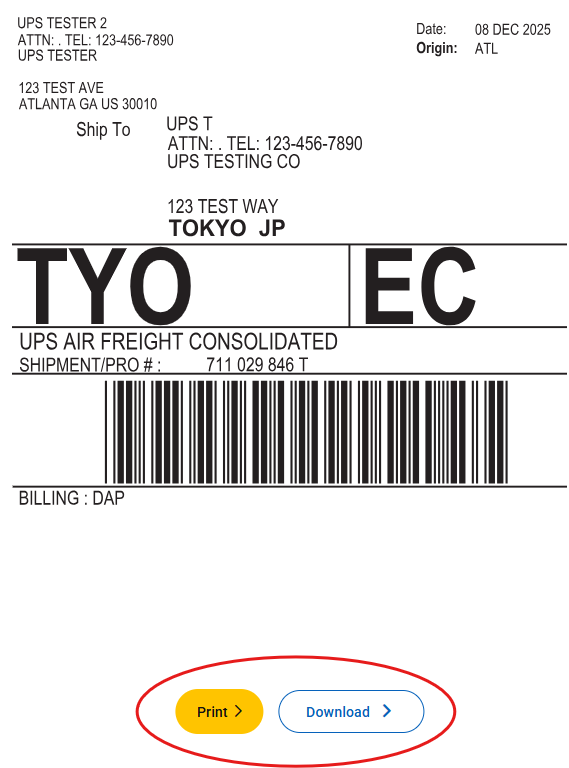
Once the label is generated, it will be displayed on your screen.
Select one of the following options:
'Print' to use your printer's settings to print the label.
'Download' to save the label to your files
If you have multiple pallets, repeat the steps above for each additional pallet(s) or crate(s)s.
Learn More:
Was this article helpful?
That’s Great!
Thank you for your feedback
Sorry! We couldn't be helpful
Thank you for your feedback
Feedback sent
We appreciate your effort and will try to fix the article