Creating multiple shipments just got easier.
Introducing Batch Shipping Upload for UPS Forwarding Hub
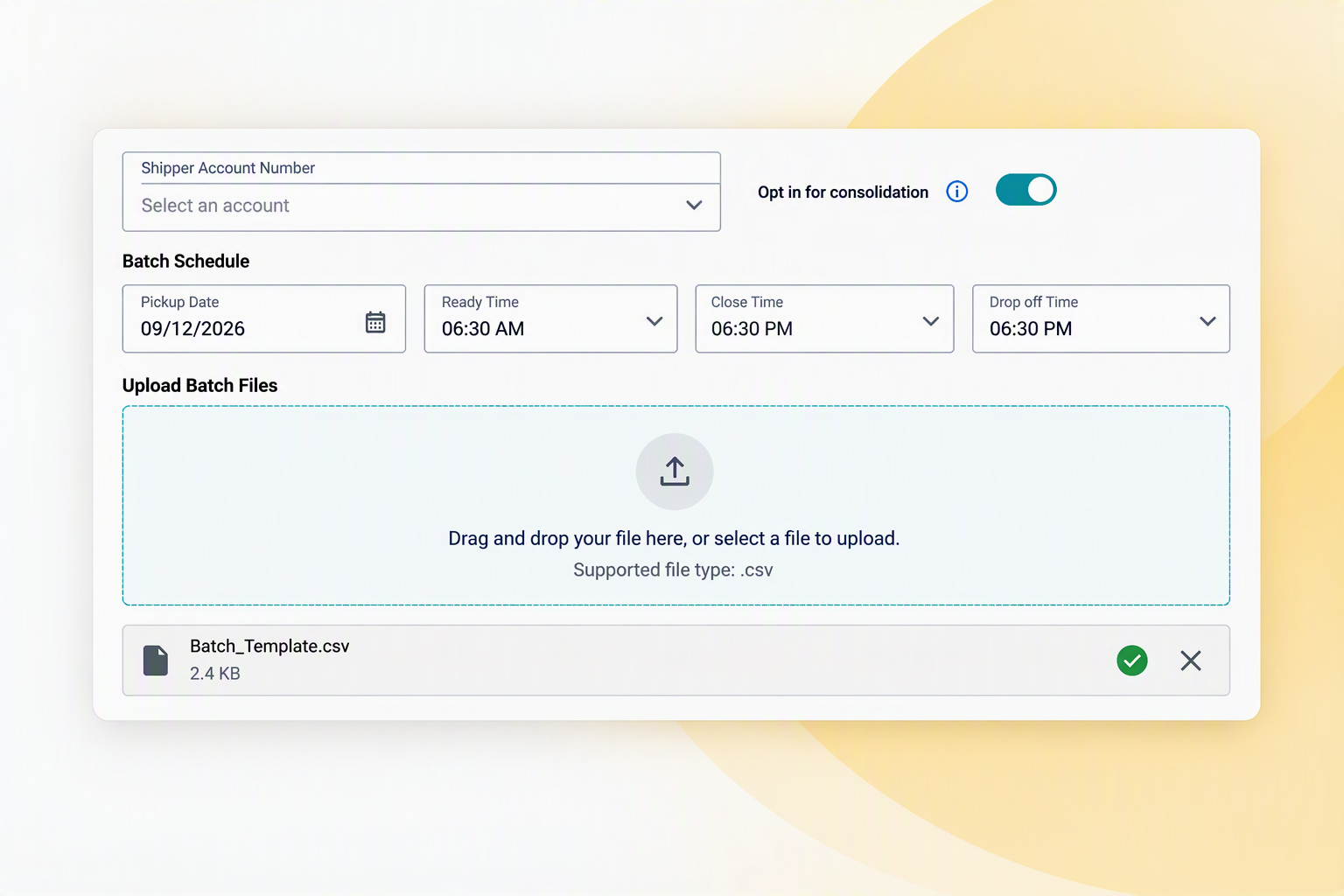 Managing high shipment volumes shouldn't mean hours of repetitive data entry. With Batch Shipping Upload, UPS Forwarding Hub now lets you create, validate, and process multiple shipments in a single workflow — so your team can focus on what matters most: getting goods to customers, faster.
Save Time When Creating Multiple Shipments
With Batch Shipping Upload, you can:
- Upload multiple shipments at once
- Validate shipment information and correct errors
- Process shipments in bulk
- Review processing results
- Download shipping documentation
Whether you're preparing several shipments at once or regularly managing higher shipment volumes, Batch Shipping Upload can help reduce repetitive work and improve data accuracy.
Why Use Batch Shipping Upload?
Batch Shipping Upload is designed to make high-volume shipment creation more efficient by bringing uploading, validation, processing, results review, and shipping documentation into one streamlined workflow.
That means less time spent creating shipments individually and more control when managing multiple shipments.
How Batch Shipping Upload Works
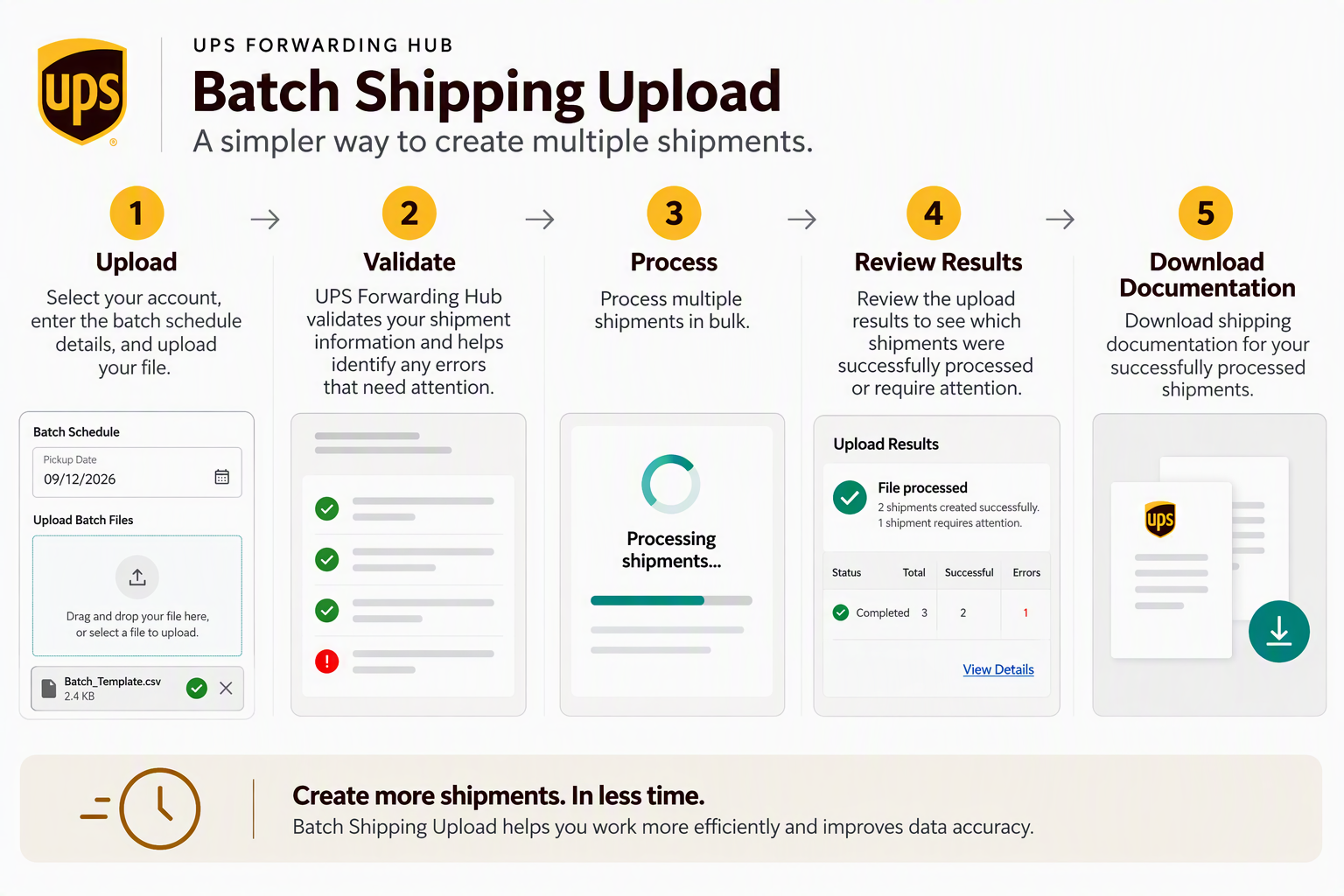
(Click to Enlarge)
Ready to Get Started?
Before you can use Batch Shipping Upload, you must have a UPS freight account number.
- Don't have a UPS freight account? Learn how to Request an Account.
- Already have a UPS freight account? Contact our Support team or your account executive to enable batch processing and obtain a copy of our standardized template.
Once the feature is enabled in your account, you can begin using the Batch Shipping Upload feature.
Learn More
Was this article helpful?
That’s Great!
Thank you for your feedback
Sorry! We couldn't be helpful
Thank you for your feedback
Feedback sent
We appreciate your effort and will try to fix the article